Mandala SVG: Simple, Scalable Designs for Real Projects
If you've ever tried to cut a detailed mandala on a Cricut or Silhouette, resized a pattern only to find jagged edges, or spent hours tracing a JPG into vector format—then Mandala SVG isn’t just another design pack. It’s a time-saver built for how people actually work: across devices, tools, and goals.
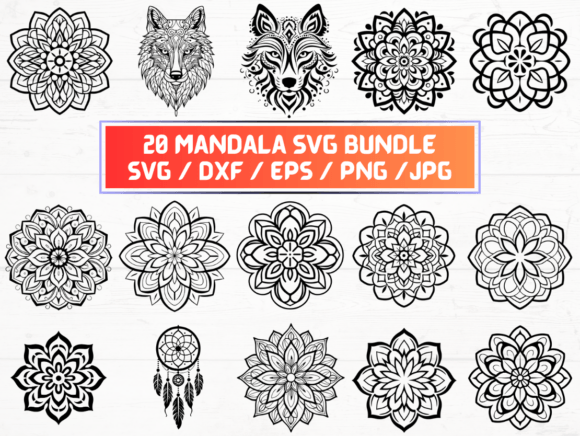
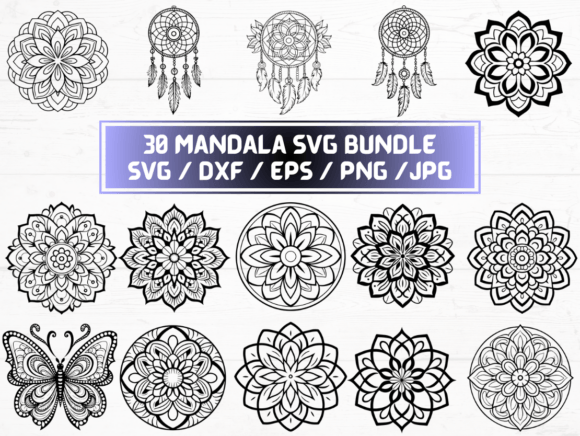
This collection delivers 30 unique mandala designs in five essential formats—SVG, PNG (300 dpi, transparent background), DXF, JPG, and EPS—all bundled in one ZIP folder for instant download. No waiting. No shipping. No physical item. Just files ready to open, import, and use—today.
Why Format Variety Matters More Than You Think
SVG files are the go-to for craft cutting machines, web designers, and educators using interactive whiteboards. But not every tool reads SVG the same way. That’s where the other formats step in:
- DXF works reliably with older CNC software, laser cutters, and some embroidery digitizing tools—especially when precision line paths matter more than color layers.
- PNG at 300 dpi with transparency lets you drop clean mandalas straight into Canva, Photoshop, or PowerPoint—no background cleanup needed. Great for social media posts, printable worksheets, or layered digital art.
- EPS is still the standard for many professional print shops and large-format printers—especially if you're sending files to a local signage vendor or preparing artwork for offset printing.
- JPG may seem basic, but it’s what loads fastest in email newsletters, blog posts, or quick client previews—without risking font or layer issues.
You’re not choosing *one* format—you’re building flexibility. A teacher might use the PNG for a classroom handout, then switch to SVG for a student-led laser-cutting project. A small-batch candle maker could pull the EPS for label printing, then grab the DXF to engrave mandalas onto wooden lids.
Where People Actually Use Mandala SVG—Not Just “For Inspiration”
Here’s what real users tell us they do with these files:
Crafters & Makers
A jewelry designer used one of the smaller mandalas as a stencil for resin pendants—imported the SVG into her cutting machine, cut thin brass sheets, then filled them with pigmented resin. Because the file was vector-based, she scaled it up 200% for a statement necklace without losing crispness. Another user printed the PNG version on transfer paper and ironed it onto fabric for custom yoga mats—no fading, no pixelation.
Educators & Therapists
Art teachers print the JPGs for coloring pages—but they also load the SVGs into free classroom tools like Google Drawings or Tinkercad to let students manipulate symmetry, rotate elements, or explore radial balance. One occupational therapist uses the PNGs in sensory bins: laminated, cut out, and paired with tweezers for fine motor practice. The consistent line weight and clear negative space make them ideal for focus-building—not just decoration.
Small Business Owners
A boutique wellness studio added three mandala SVGs to their Canva brand kit. They use one as a watermark on Instagram Reels, another as a subtle background in client intake PDFs, and a third—scaled down—as a favicon for their website. All from the same source file. No extra design fees. No licensing headaches.
Digital Creators & Bloggers
A mindfulness blogger embedded an SVG directly into her WordPress site header—so it scales perfectly on mobile and desktop. She didn’t need to upload multiple image sizes or worry about retina displays. Later, she exported that same SVG as PNG to create a printable gratitude journal cover—then reused the DXF version to cut matching bookmarks on her Glowforge.
What to Consider Before You Download (and Why It Helps)
Mandala SVG is practical—but it’s not magic. Here’s what helps users get better results faster:
- Check your software compatibility first. Not all versions of Silhouette Studio support SVG natively (Designer Edition does; Basic doesn’t). Likewise, older versions of Adobe Illustrator may need EPS instead of SVG for smoother path handling. If you’re unsure, test one file before scaling across a full project.
- Look at stroke vs. fill behavior. Some mandalas in this set use thin strokes for delicate linework; others rely on solid fills for bold contrast. If you plan to cut vinyl or engrave wood, thicker lines (0.5pt minimum) hold up better than hairline strokes—so preview in your cutter’s software before sending to the machine.
- Transparency matters—especially in PNGs. These files include alpha channels, so they’ll sit cleanly over photos or gradients. But if you open them in basic editors like Paint or older versions of Keynote, transparency may appear black. Use Preview (Mac), GIMP, or Canva instead for reliable viewing.
- Commercial use is included—but context counts. You can sell products made with these files (t-shirts, mugs, stickers), but you can’t resell the files themselves or claim copyright over the original designs. If you’re building a product line, keep your own modifications documented—like adding text, changing colors, or combining with original illustrations.
It’s Not About “More Files”—It’s About Fewer Roadblocks
The value isn’t in having 30 of each format. It’s in knowing that when your deadline shifts, your tool changes, or your client asks for “just one more version,” you’re not starting over. You’re opening the ZIP, picking the right file, and moving forward.
No re-tracing. No upscaling compromises. No hunting for royalty-free alternatives that don’t match your brand palette or production method.
That’s why so many educators download it before summer planning starts. Why craft business owners grab it before holiday markets. Why freelance designers keep it in their “go-to assets” folder—not because it’s flashy, but because it works quietly, consistently, and across more situations than expected.
Mandala SVG fits into workflows—not on mood boards. It solves small, repeated problems: inconsistent sizing, missing transparency, format rejection from vendors, or last-minute requests for alternate outputs. And because it’s delivered digitally, there’s zero inventory risk, no storage clutter, and no delay between idea and execution.
If you’ve ever paused mid-project to search “how to convert JPG to SVG for Cricut,” or waited two days for a designer to send a revised file—this is the kind of resource that makes those moments rarer. Not perfect. Not glamorous. Just useful, ready, and built for real use.