What Is a Christmas Gingerbread Cookie SVG Bundle—and Why Creative Makers Love It
Whether you're crafting holiday cards, designing festive T-shirts, or cutting custom cookies with a Cricut or Silhouette machine, a Christmas gingerbread cookie SVG bundle is more than just a digital download—it’s a versatile creative toolkit for the holiday season. But what exactly does that mean? And why do thousands of crafters, small business owners, and educators reach for these files every November and December? Let’s break it down—from the basics to real-world uses—so you understand not just what you’re getting, but how and why it matters.
Understanding SVG Bundles: More Than Just “Pictures”
An SVG (Scalable Vector Graphic) file is a type of digital image built from mathematical paths—not pixels. That means it can be resized infinitely without losing quality. Unlike JPGs or PNGs—which blur or pixelate when enlarged—an SVG stays razor-sharp whether you’re printing it on a tiny ornament tag or cutting it at 12 inches wide on a vinyl plotter.
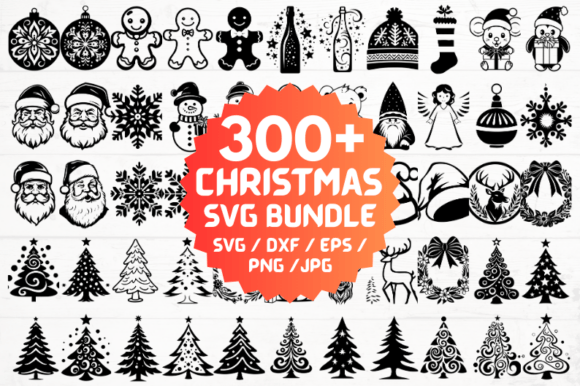
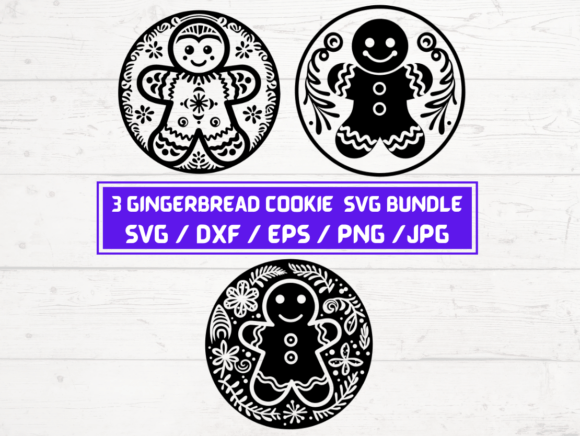
A bundle, in this context, refers to a curated collection of related design files—all centered around a single theme: Christmas gingerbread cookies. The listing you’re exploring includes 3 unique gingerbread cookie designs, each delivered in five compatible formats: SVG, DXF, EPS, PNG (300 dpi, transparent background), and JPG. That’s 15 total files—organized into a single ZIP folder for instant, hassle-free access.
Why Five File Types? Matching Formats to Your Tools & Goals
Different machines and software require different file types. Here’s how each format serves a practical purpose:
- SVG files: Ideal for Cricut Design Space, Silhouette Studio (with Designer Edition), and web-based editors like Canva (when uploaded). Used for cutting, layering, and digital overlays.
- DXF files: Universally supported by most cutting machines—including older Cricut models and CorelDRAW. A reliable fallback when SVG isn’t accepted.
- EPS files: Industry-standard vector format used in Adobe Illustrator and professional print shops. Great for scaling logos or preparing files for commercial embroidery digitizing.
- PNG files (300 dpi, transparent background): Perfect for digital scrapbooking, social media graphics, printable labels, or sublimation printing. The transparency lets you place the gingerbread cookie over photos, patterns, or colored backgrounds—no white boxes or awkward edges.
- JPG files: Useful for quick previews, email sharing, or basic photo editing apps that don’t support vectors or transparency.
This multi-format approach removes guesswork. Whether you’re a beginner using Cricut Explore Air 2 or a seasoned designer prepping files for a client’s holiday packaging, you’ll find the right version—no conversions, no compatibility headaches.
Real-World Uses: From Home Crafters to Small Businesses
These gingerbread cookie SVGs aren’t just for seasonal fun—they power real projects across multiple contexts:
🏡 At Home: Personalized Holiday Magic
Imagine cutting gingerbread-shaped ornaments from glitter cardstock, then personalizing them with family names using your cutting machine. Or designing matching cookie jar labels, gift tags, and wrapping paper—all featuring the same charming, cohesive design. With three distinct cookie styles (perhaps one classic, one with a bow, one holding a candy cane), you can create visual variety while maintaining a unified theme.
🛍️ For Small Businesses: Scalable Seasonal Products
Print-on-demand sellers use these files to generate mugs, tote bags, and throw pillows—uploading the PNG or SVG directly to platforms like Printful or Redbubble. Etsy shop owners embroider the designs onto aprons or tea towels using the EPS or DXF files. Even local bakeries add the SVGs to their branding—using them in Instagram stories, holiday menus, or custom cookie box inserts.
🎓 In Education & Community Settings
Teachers use gingerbread SVGs for classroom decorations, interactive bulletin boards (“Gingerbread Man Wanted” posters), or student-led design challenges in tech-ed classes. Youth groups and libraries incorporate them into holiday STEAM activities—teaching vector concepts, file types, and digital craftsmanship through hands-on making.
Clarifying Common Misconceptions
Before diving in, let’s clear up a few frequent assumptions:
- “This is a physical product.” ❌ No—it’s a digital download only. You’ll receive an email with a ZIP link immediately after purchase. Nothing ships. No waiting. No tracking number.
- “I need expensive software to use these.” ❌ Not at all. Free tools like Inkscape (for SVG/EPS) or Cricut’s free Design Space app handle everything. Even Canva supports SVG uploads for non-cutting uses.
- “One file = one use.” ❌ These are commercial-use licensed files (always verify the seller’s license terms—but this bundle permits both personal and small-business use). You can sell unlimited physical items made with these designs—like hand-cut wood ornaments or printed greeting cards—without paying royalties or reporting sales.
- “PNGs are ‘just pictures’—they’re less valuable.” ✅ Actually, high-resolution, transparent-background PNGs are essential for digital creators. They enable drag-and-drop flexibility in design tools where vector support is limited—making them indispensable for educators, marketers, and content creators.
How This Bundle Fits Into Today’s Creative Ecosystem
In an age where DIY culture meets digital fluency, tools like SVG bundles bridge imagination and execution. They democratize design—letting anyone with curiosity and a basic machine turn ideas into tangible, joyful results. Unlike stock photo subscriptions or complex design courses, this bundle delivers immediate utility: three polished, holiday-ready gingerbread motifs, engineered for precision and ease.
It also reflects broader trends: the rise of micro-entrepreneurship (think Etsy side hustles), the demand for print-at-home convenience, and the growing expectation for cross-platform compatibility. When a single ZIP folder works seamlessly across Cricut, Silhouette, Adobe, and Canva—it respects your time, your tools, and your creative goals.
Getting Started: Your First Project in Under 5 Minutes
Here’s how simple it is:
- Download the ZIP folder and extract the files.
- Open your preferred software (e.g., Cricut Design Space).
- Upload the SVG file you like best.
- Resize it to fit your material—say, 4 inches tall for a wooden ornament blank.
- Click “Make It,” load your mat, and let the machine cut.
- Peel, assemble, and enjoy your professionally crafted gingerbread keepsake.
No drawing skills required. No design degree needed. Just intention, inspiration, and the right file.
Final Thoughts: Why Thoughtful Bundles Matter
A Christmas gingerbread cookie SVG bundle may seem small—but its impact multiplies across homes, classrooms, and small studios every year. It represents intentionality in design (three complementary styles), accessibility in format (five universal file types), and empowerment in licensing (personal + commercial use). In a world full of generic clipart and restrictive subscriptions, this kind of thoughtful digital resource stands out—not because it’s flashy, but because it’s useful.
So whether you’re planning your first holiday craft night, launching a seasonal product line, or simply want to bring more handmade warmth into your December, these files offer more than decoration. They offer possibility—clean, crisp, and ready when you are.