Arrow SVG: Precision, Flexibility, and Ready-to-Use Design for Modern Creators
Arrow SVG isn’t just another vector file—it’s a functional design element built for clarity, consistency, and compatibility. At its core, an Arrow SVG is a scalable vector graphic that renders crisp at any size, maintains clean edges on screens and print, and integrates seamlessly across platforms—from web interfaces and presentations to laser-cut signage and embroidery digitizing. Unlike raster images, SVGs retain full editability: colors, stroke weight, direction, and proportions can be adjusted in seconds using tools like Adobe Illustrator, Inkscape, or even code editors. That makes Arrow SVG especially valuable when speed, adaptability, and cross-format reuse matter—exactly what today’s professionals expect from digital assets.
Why Arrow SVG Fits Into How We Work Now
Workflows have shifted toward modular, reusable components. Whether you’re building a SaaS dashboard, designing course materials for remote learning, prototyping packaging mockups, or preparing social media carousels, arrows serve as visual anchors—they guide attention, indicate flow, highlight hierarchy, and simplify complex ideas. The demand for ready-to-deploy arrow graphics has grown alongside the rise of no-code builders (like Webflow and Figma plugins), DIY marketing tools (Canva, Mailchimp), and desktop manufacturing (Cricut, Silhouette). These platforms rely heavily on vector-based inputs—and SVG remains the most universally supported format across them all.
This shift isn’t about convenience alone. It reflects deeper expectations: creators want control without complexity, quality without compromise, and variety without fragmentation. A single well-designed Arrow SVG file can replace dozens of manually resized PNGs or inconsistent hand-drawn icons. And because SVG supports transparency, CSS styling, and animation, it scales beyond static use—into interactive infographics, animated explainer videos, or responsive UI elements.
What’s Inside This Collection—and Why Format Variety Matters
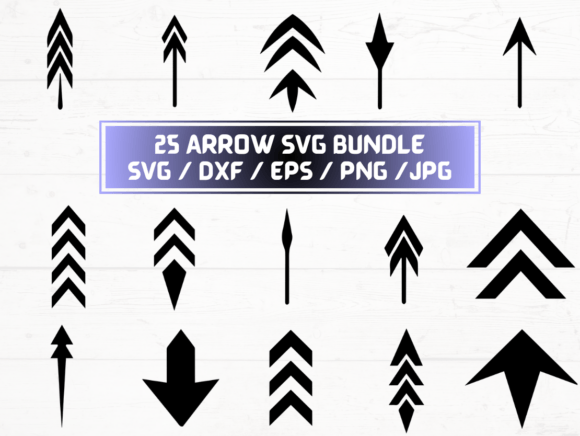
This listing delivers 25 unique arrow designs in five industry-standard formats: SVG, PNG (300 dpi with transparent background), DXF, JPG, and EPS—all bundled in one ZIP folder for instant download. Each format serves a distinct role in modern production:
- SVG files are ideal for web developers, educators embedding diagrams in LMS platforms, and marketers adding animated call-to-action cues to landing pages.
- PNG files at 300 dpi with transparency suit designers who need high-resolution raster versions for print-ready brochures, presentation decks, or layered Photoshop composites—without white boxes or jagged edges.
- DXF files bridge digital design and physical making: they’re native to CNC routers, laser cutters, and vinyl plotters, enabling precise fabrication of directional signage, stencils, or branded floor decals.
- EPS files remain essential for legacy print workflows, especially in professional publishing environments where vector fidelity and PostScript compatibility are non-negotiable.
- JPG files provide lightweight, universally viewable previews—useful for quick client reviews, internal mood boards, or documentation where transparency isn’t required.
Having all five formats means no last-minute conversions, no lost metadata, and no version mismatches between team members using different software. A freelance graphic designer can drop an SVG into a Figma prototype, while their client’s print vendor receives the same arrow as an EPS—identical geometry, zero reinterpretation.
How Arrow SVG Supports Real-World Creative and Business Needs
Consider a small business owner launching a new service package. They need consistent visual language across their website (SVG), printed sales sheets (PNG + EPS), and storefront window decals (DXF). With this collection, they avoid hiring a designer for each variation—or risking mismatched proportions and inconsistent line weights across formats. Similarly, an educator creating an online course might use SVG arrows to animate step-by-step instructions in a video, then export the same asset as a PNG for downloadable PDF worksheets—ensuring learners see identical visual cues whether they’re watching or printing.
For marketers running A/B tests on email CTAs, subtle changes in arrow style—curved vs. angular, minimalist vs. bold—can influence click-through behavior. Having 25 distinct options lets teams iterate quickly without outsourcing or licensing restrictions. And because these are digital-only files, there’s no shipping delay, inventory tracking, or physical storage—just immediate access and full ownership for commercial use.
The Evolution From Static Icons to Smart Visual Elements
Arrow graphics used to be afterthoughts—generic clipart inserted into PowerPoint slides or stretched JPEGs pasted into blog posts. Today, they’re treated as intentional design systems components. Designers curate arrow sets by weight, curvature, endpoint style (arrowhead, dot, bar), and contextual function (navigation, progression, emphasis, connection). This collection reflects that evolution: 25 variations aren’t arbitrary—they cover directional needs across industries: left-facing arrows for back buttons and undo actions; circular arrows for refresh loops and recycling concepts; diagonal arrows for growth charts and upward trends; double-headed arrows for bidirectional relationships in process maps.
That level of intentionality matters because users subconsciously interpret visual grammar. A blunt, heavy arrow signals urgency or authority; a thin, tapered one suggests subtlety or transition. When your brand uses arrows consistently—across websites, reports, product packaging, and training modules—you reinforce coherence and professionalism, even if viewers never consciously register the choice.
Practical Tips for Getting the Most Out of Your Arrow SVG Collection
Start by auditing your current projects: where do you currently reuse or recreate similar directional elements? Identify one recurring use case—like annotating screenshots in user onboarding flows—and test swapping in a few SVG options. Notice how changing stroke width or color contrast affects readability against different backgrounds.
If you work with physical outputs, try opening a DXF file in your cutting software and adjusting kerf compensation or layer grouping before sending to machine. For web use, open an SVG in a text editor and experiment with inline fill or stroke attributes—no design app needed.
When sharing assets with collaborators, default to SVG for editable handoffs and PNG for final delivery previews. Keep the ZIP folder organized—not just by format, but by use case (e.g., “Navigation Arrows,” “Process Flow Arrows,” “Decorative Arrows”)—so future-you can find exactly what’s needed in under ten seconds.
Looking Ahead: Where Arrow SVG Fits in an Increasingly Hybrid World
As hybrid work, blended learning, and omnichannel branding become standard—not exceptions—the ability to move cleanly between digital and physical, screen and surface, code and craft becomes critical. Arrow SVG sits at that intersection. It’s not flashy tech—but it’s infrastructure-grade design utility. Its value grows not because it’s novel, but because it solves persistent, low-level friction points: inconsistency, rework, format lock-in, and scalability limits.
This collection doesn’t promise transformation—but it does remove friction. It gives you 25 thoughtful, technically sound starting points. You decide whether they become part of a customer journey map, a classroom whiteboard annotation, a custom t-shirt design, or the subtle hover effect on a subscription button. What matters isn’t the arrow itself, but how reliably and gracefully it helps you communicate direction—both visually and functionally.